Custom Domains: Your Knowledge Base on Your Own Address
Connect a subdomain like help.yourcompany.com and your whole knowledge base opens there, with HTTPS and the same access rules.

A help center at spaceli.io/acme/s/… works, but it isn't yours. Customers see someone else's address in every link you send, and your team's wiki lives under a name nobody remembers. Today we are launching custom domains in Spaceli: connect a subdomain like help.yourcompany.com or wiki.yourcompany.com, and your whole knowledge base opens there.
What you get
- Your own address. Every space of your organization opens on your domain: the public help center for customers and the internal wiki for your team.
- The same access rules. Public spaces stay open to anyone with the link, with no account. Private spaces ask for a Google sign-in, right on your domain, and show each person only what they can open.
- HTTPS included. We issue the certificate and renew it for you. There is nothing to upload or remember.
- Nothing breaks. Links on spaceli.io keep working, so the links already in your product, emails and chats don't need to change on day one.
Connect your domain
It takes a few minutes of your time and one DNS record. You need to be an owner or admin in Spaceli, and someone who can change the DNS settings of your domain.
- Pick a subdomain. help., docs., wiki. or kb. are the usual ones. Root domains like yourcompany.com aren't supported.
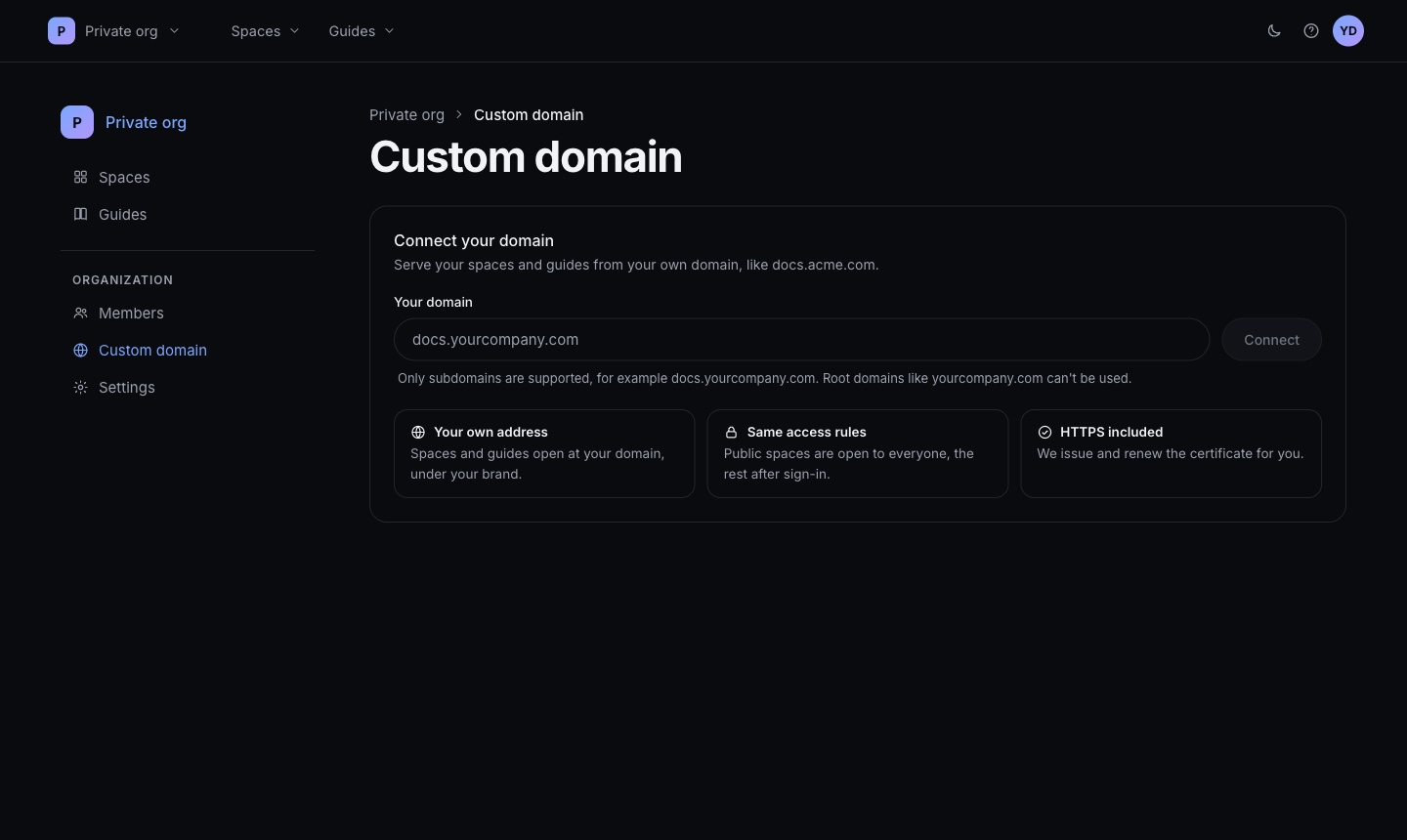
- Enter it in Spaceli. Open Settings, then Custom domain, type the subdomain and click Connect.
- Add the record at your DNS provider. Spaceli shows exactly what to add, with copy buttons. Usually it's one CNAME record; sometimes there's a TXT record too.
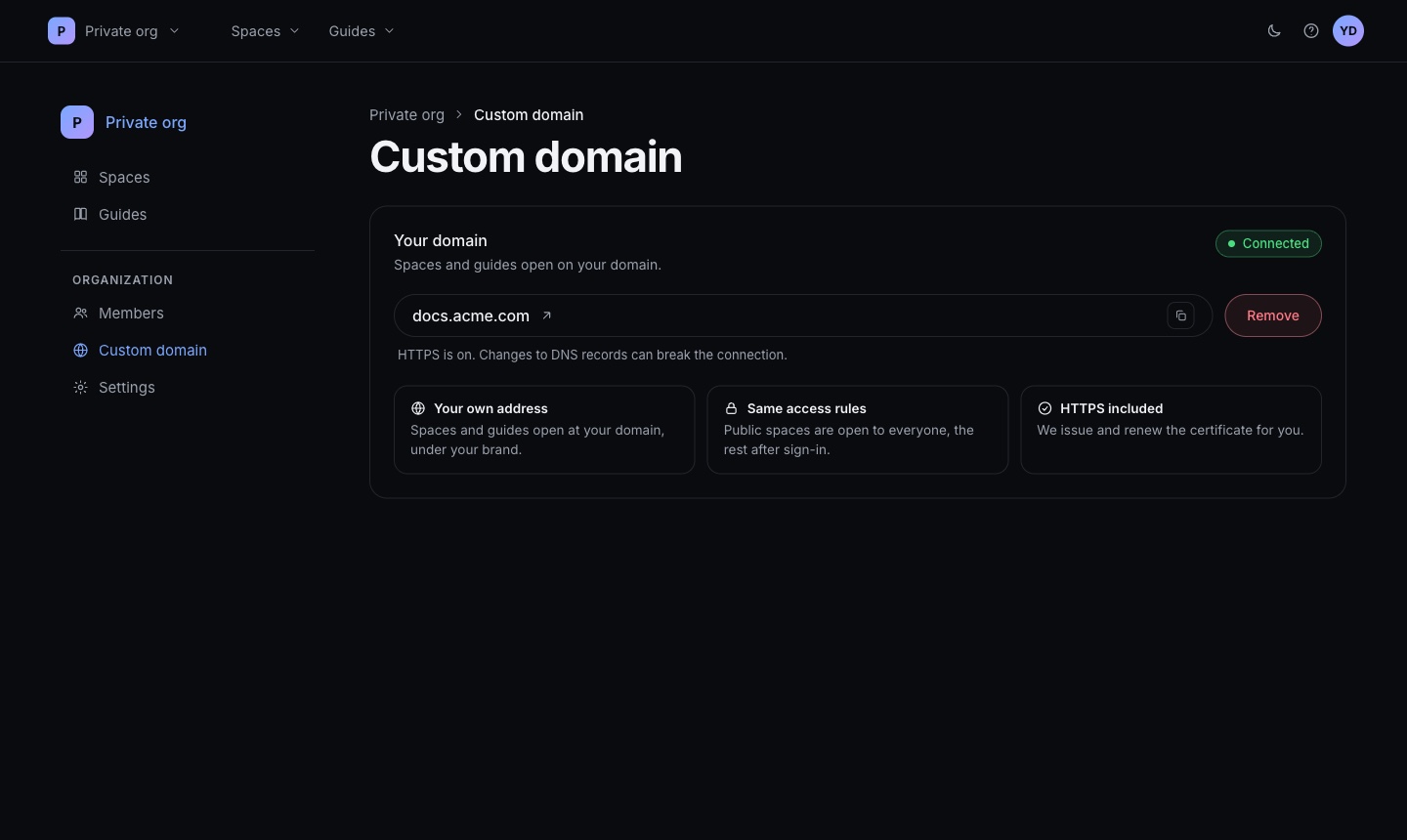
- Wait for Connected. Spaceli checks the domain by itself while the page is open, or click Check again. When the status turns to Connected, your knowledge base is live on your domain, with HTTPS.
| Type | Name | Value |
|---|---|---|
| CNAME | docs | The value shown in Settings → Custom domain |
| TXT | Shown only when needed | Proves the domain is yours, if it was used elsewhere before |
If it doesn't connect
- Enter only the subdomain as the name. Most DNS providers add your domain by themselves: the name is docs, not docs.yourcompany.com.
- Remove old records for the same name. An A record or another CNAME for docs wins over the new one.
- On Cloudflare, use DNS only. Turn the proxy off for this record (a gray cloud, not an orange one), or the certificate can't be issued.
- Check CAA records. If your domain limits which authorities may issue certificates, allow letsencrypt.org.
What opens on your domain
Your whole Spaceli organization, with the same rules as on spaceli.io. Nobody gets more access because of the domain, and nobody loses any.
| On your domain | Who can open it |
|---|---|
| Public spaces | Anyone with the link, no account |
| Private spaces | Members, after signing in with Google on your domain |
| Guides | The people who can see them today, with the same progress |
| Search, members, settings | As on spaceli.io, for the people allowed to use them |
It fits a help center best: send customers to help.yourcompany.com from your product and support replies, and keep the internal side in private spaces of the same organization. Here's how to build a public help center from Google Docs, and how to run an internal wiki and public docs side by side.
Change or remove the domain
While Spaceli is waiting for DNS, click Use another domain to start over. Once it's connected, Remove frees the domain: links on it stop working, and every space stays available on spaceli.io. You can then connect another one.
FAQ
Does a custom domain cost extra?
No. A custom domain is part of every Spaceli plan, like every other feature.
Can I use my root domain, like yourcompany.com?
Not today. Use a subdomain such as help.yourcompany.com or docs.yourcompany.com. The connection uses a CNAME record, and DNS doesn't allow a CNAME on a root domain.
Can one organization have several domains?
One domain per organization. Every space of the organization opens on it, public and private.
Do my spaceli.io links stop working?
No. Links you already shared keep working on spaceli.io, and the same pages open on your domain too.
Will my help center show up in Google search?
Not yet. Public spaces aren't indexed by search engines today, so customers reach them through links in your product, emails and support replies. A custom domain makes those links yours.
Who can connect a domain?
Owners and admins of the organization, in Settings → Custom domain. Someone with access to your DNS settings adds the record.
Writes about wikis, documentation and how teams keep their knowledge easy to find.
Keep reading
All articles →Introducing Guides: Onboarding Built from Your Google Docs
Spaceli Guides turn the docs you already have into step-by-step paths for onboarding and training, with progress for every person and a report for admins.
How to Create a Wiki in Google Docs (Step by Step + Free Template)
Build a team wiki in Google Docs step by step: folder structure, home page, headings, links and permissions. Free template plus a faster way to do it.
Google Docs vs Confluence for a Team Wiki
Google Docs or Confluence for your team wiki? Editing, structure, search, access and pricing compared, plus a way to keep Docs and get Confluence-style structure.
Your knowledge base is already in Google Drive.
Give your team a better way to organize, find, and share knowledge. Keep your documents right where they are.
Start for FreeFree during the beta, no credit card required. Spaceli only accesses the folders you choose.
